
Step-by-Step Deposit Instructions
1
Log into BDT Casino 24 and Open Cashier
Click the golden 'Deposit' button in the upper header and select 'bKash' as your payment channel.
2
Copy the Active Cashier Number
The system displays an active 11-digit bKash number. Click 'Copy Number'. (Never save numbers for future deposits as numbers rotate periodically).
3
Open bKash App & Complete Send Money / Payment
Open your bKash app, select 'Send Money' or 'Make Payment', paste the copied number, and transfer your desired deposit amount (min. ৳200).
4
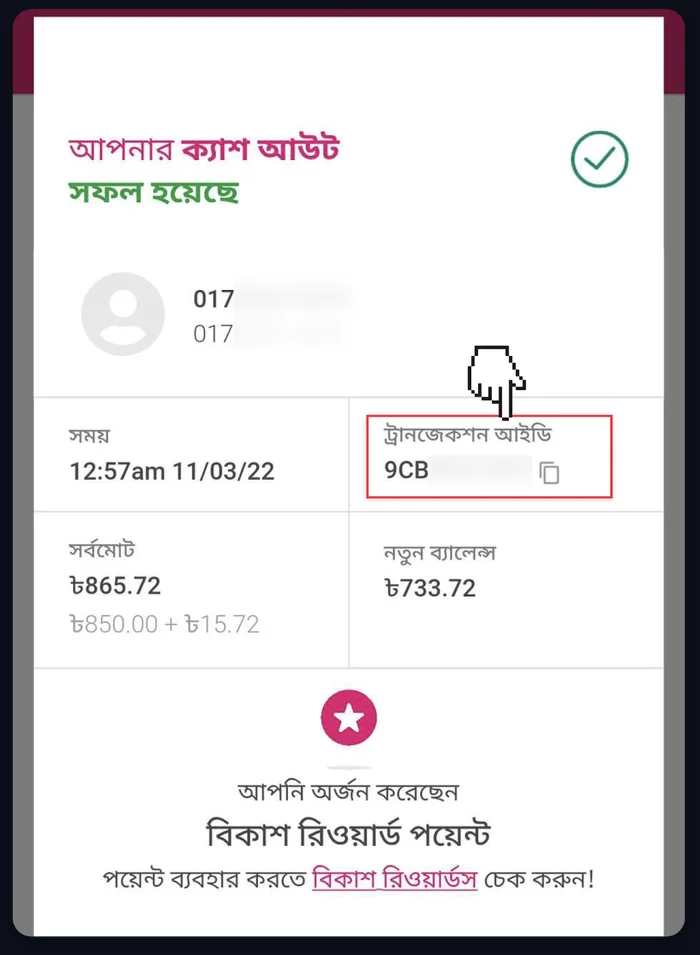
Copy Your 10-Character TrxID
Upon successful transfer, bKash displays your 10-character alphanumeric Transaction ID (e.g., 'BK89X7Y2LM'). Copy this code.
5
Paste TrxID into Casino Form & Confirm
Return to the casino cashier, paste the TrxID into the verification field, and click 'Submit'. Your balance updates within 60 seconds!